Mastering Django: Building Dynamic Websites with Views, Templates, and DTL
If you're looking to build dynamic, data-driven web applications with Python, Django is the framework you need. At the core of any Django application are Views and Templates, working together to serve meaningful content to your users.
This post breaks down these essential concepts, showing you how to bridge your Python code with the HTML your users see, and how to display data retrieved from your database.
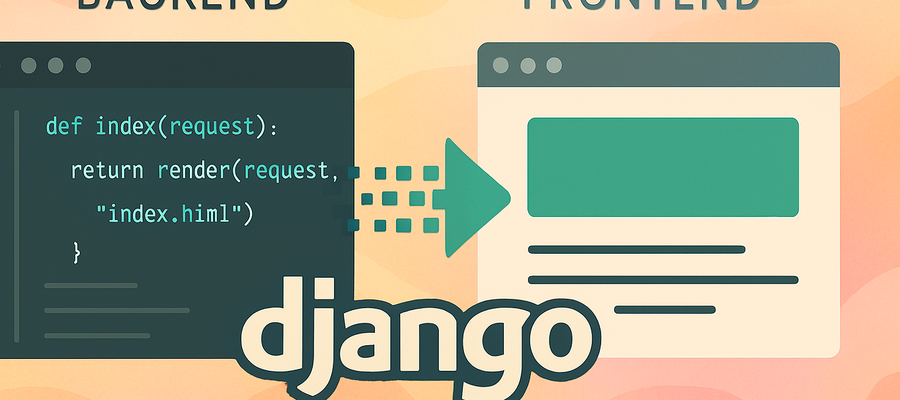
I. The Heart of the Application: What is a Django View?
A Django View is fundamentally what handles the request and returns the response. It acts as the bridge between the web server and your application's logic.
A view can be implemented in two primary ways:
Types for Views
| View Type | Description | Key Feature |
|---|---|---|
| Function-Based Views (FBVs) | Simple Python functions. | Easier to understand and implement for straightforward tasks. |
| Class-Based Views (CBVs) | Python classes that inherit from base Django classes. | More reusable and suited for complex logic. |
In this guide, we focus on the simpler and easier-to-understand Function-Based Views (FBVs).
Implementing a Function-Based View
A view function always takes the request object as its first argument and must return a response.
The response is often HTML content (rendered from a template), but it can also be JSON content or file responses.
# In products/views.py
from django.shortcuts import render, get_object_or_404
from .models import Product # Import your model

def product_list(request):
    """
    Retrieves all products and renders the product list template.
    """
    # 1. Retrieve data from the database
    products = Product.objects.all()

    # 2. Define the context to pass data to the template
    context = {'products': products}

    # 3. Use the render function to return the HTML response
    # The render function takes (request, template_path, context)
return render(request, 'products/product_list.html', context)II. Connecting the Dots: URL Configuration.
After creating a view, you must connect it to a URL path in your app's urls.py file.
# In products/urls.py
from django.urls import path
from . import views

urlpatterns = [
    # Path for the product list page
    path('', views.product_list, name='product_list'),

    # Path for a specific product detail page (using a dynamic path converter)
    path('product/<int:pk>/', views.product_detail, name='product_detail'),
]The Power of Dynamic Paths
For retrieving a single record, like a product detail, we use a dynamic path converter in the URL configuration: <int:pk>.
- int: Specifies that the value passed must be an integer.
- pk: Stands for Primary Key, which is passed to the view function.
This Primary Key is then used by the view to efficiently fetch just one specific record from the database.
# In products/views.py (for product detail)
from django.shortcuts import render, get_object_or_404
from .models import Product

def product_detail(request, pk): # The 'pk' argument is passed from the URL
    """
    Retrieves a single product using its Primary Key (pk).
    """
    # Use get_object_or_404 to handle not-found records gracefully
    product = get_object_or_404(Product, pk=pk)

    context = {'product': product}
return render(request, 'products/product_detail.html', context)III. Designing the Frontend: Django Templates
Django uses an organized structure for templates to ensure maintainability, recommending you place templates inside a folder structure like app_folder/templates/app_folder/.
Using the Django Template Language (DTL)
The key to displaying your dynamic data (the context you pass from the view) within your HTML lies in the Django Template Language (DTL). DTL uses syntax that is familiar to Python but with its own unique structure.
DTL allows you to embed logic, like loops and conditionals, directly into your HTML.
Django Template Language Basics
| Syntax | Description | Example |
|---|---|---|
| {{ variable }} | Displays data from context | {{ product.name }} |
| {% for %} ... {% endfor %} | Loops through data | {% for item in products %} |
| {% if %} ... {% endif %} | Conditional display | {% if product.stock > 0 %} |
| {% url 'view_name' %} | Generates URL dynamically | {% url 'product_detail' product.id %} |
| {% comment %} | Comment in template | {% comment %} Note {% endcomment %} |
Example: Product List Template
Here is how you would use DTL to loop through the products list passed from your view:
<!--  templates/products/product_list.html -->
<!DOCTYPE html>
<html lang="en">
<head>
    <meta charset="UTF-8">
    <meta name="viewport" content="width=device-width, initial-scale=1.0">
    <title>All Products</title>
</head>
<body>
    <h1>Product List</h1>
    <ul>
        {% for product in products %}
            <li>
                <a href="{% url 'product_detail' product.id %}">
                    {{ product.name }} - Rs {{ product.price }} </a>
            </li>
        {% endfor %}
    </ul>
</body>
</html>The DTL syntax allows you to create truly dynamic HTML content. It handles converting the Python data (like your products dictionary) into the visible HTML output, completing the core request-response cycle in Django.
Example: Product Details Template
Let’s show one product’s details when clicked.
<!--  templates/products/product_detail.html -->
<!DOCTYPE html>
<html lang="en">
<head>
    <meta charset="UTF-8">
    <meta name="viewport" content="width=device-width, initial-scale=1.0">
    <title>Product - {{ product.name }}</title>
</head>
<body>
    <h1>{{ product.name }}</h1>
    <p>{{ product.description }}</p>
    <p>Price: ₹{{ product.price }}</p>
    <p>Stock: {{ product.stock }}</p>

    <a href="{% url 'product_list' %}">Back to list</a>
</body>
</html>Do you need side hustle?
Get Paid to Share Your Opinion: User Interviews Can Get You Quick Cash
Ever heard of User Interviews? It's a platform that pays you for your feedback on products and services. The best part is that you can get a bonus just for signing up and completing your first study. I've already earned money with them, and you can, too.
Click here to sign up and get your bonus! Please wait until Sign Up page load.
Disclaimer: Referral bonus amounts are subject to change. The bonus is awarded after you complete your first paid study and may take a few days to process. All terms and conditions are set by User Interviews, and it's best to check their official site for the most up-to-date program rules.
Earn Cash for Your Opinions and a Bonus to Boot: Try Respondent.io
Respondent is a top platform that pays you for taking part in market research and user interviews. I've used it to find great paid studies, and you can, too. Their referral program is a fantastic way to earn more: when a friend you refer signs up and completes a study, you both get a bonus. It’s a great way to earn a little extra for yourself while helping a friend find paid work.
Click here to sign up and get your bonus!
Disclaimer: Referral bonus amounts and terms are subject to change by Respondent.io. The bonus is typically awarded after the referred friend completes their first paid study. Please check their official referral program page for the most up-to-date details.
What's Next?
With a strong grasp of Views, URL patterns, and the Django Template Language, you are well on your way to building robust Django applications.
In the next step of your Django journey, you'll want to master Static Files (CSS, JavaScript) and Media Files (Images) to add styling, interactivity, and assets to the dynamic content you've created!
Learn More